Best Beat Making Software & DAWs (2026)

The best DAW is the one you stop thinking about. Every hour you spend fighting the software is an hour you are not making beats.

We buy most of what we test. When you buy through a link on this page we may earn a commission, which never affects our picks or verdicts. How we work.

Louis Raveton
By Louis Raveton

Louis makes Downtempo, Electro-Dub, and beat-driven music under the names Flagada and Monsieur Shwill. He treats his sample drive like a record collection and has been obsessively hunting textures, breaks, and weird synth patches for over a decade. He also composes for Canal+ animation and LVMH installations, which means he has tested tools under real deadline pressure.

Choosing beat making software is the one purchase that shapes every session after it, and the advice online is mostly tribal nonsense. People defend whatever they learned first as if it were a personality. The truth is duller and more useful. Every serious DAW on this list can make a finished, professional beat, so the real question is which one gets out of your way fastest for the kind of music you actually make.

I have made records in most of these under real deadlines, and what I care about is friction. How long from opening the program to a drum pattern that knocks. How good the stock sounds are before you spend a penny on plugins. Whether the piano roll fights you when you tune an 808. That is what this comparison measures. The four DAWs carrying affiliate links sit at the top, and the three editorial picks including FL Studio and Ableton are linked directly to their own sites, because being honest about the best tools matters more than which ones we can monetize.

Pick one in 10 seconds

Short version
  • You make trap or hip-hop and want the fastest workflow The step sequencer and piano roll are still the quickest for beats FL Studio
  • You perform live or build loop-based arrangements Session view is unmatched for loop workflow Ableton Live 12
  • You are on a Mac and want value One price, huge stock library, deep sampler Logic Pro
  • You want a hardware and software workflow Runs standalone on hardware or as a plugin in your DAW MPC 2
  • You want a rack of instruments built in The modular rack is a full studio on its own Reason 13

Compare all 7

MPC 2 8.5
Platform
macOS / Windows
Price Tier
Low
Free Updates
Within major version
Cubase Pro 15 8.3
Platform
macOS / Windows
Price Tier
High
Free Updates
Paid major upgrades
Was $579Now $347 View price
3. Reason 13 Reason Studios
8.8
Platform
macOS / Windows
Price Tier
Mid
Free Updates
Within major version
8.3
Platform
macOS / Windows / Linux
Price Tier
Low
Free Updates
Within major version
5. FL Studio Image-Line
9.0
Platform
macOS / Windows
Price Tier
Mid
Free Updates
Lifetime free updates
Platform
macOS / Windows
Price Tier
High
Free Updates
Paid major upgrades
8.5
Platform
macOS only
Price Tier
Low
Free Updates
Within major version
Read more →

Methodology

Who is this for

Beat makers, sample-based producers, and electronic musicians who need reliable sounds and tools for finishing tracks fast.

Our testing process

We test every pack and plugin in actual beat sessions, from programming drum patterns to full arrangement and mixdown. We evaluate how tools perform in a dense mix, not in solo.

Why you should trust us

We buy most reviewed plugins ourselves. Occasionally we receive NFRs for evaluation, but this never guarantees a review or positive verdict. We may earn commissions from links, but our editorial choices are never for sale.

Also considered

For every category, we audition the top 8 to 15 options, discarding any that fail our usability test or deliver a low inspiration rate in a real session.

Top Picks

01 AKAI

MPC 2

Best for Pad Sampling

The classic MPC pad-and-swing workflow on the desktop, and it still beats a mouse for programming drums.

Tested score
8.5
out of 10

How it scored

  • Drum workflow 9.5

    Pad sampling and swing feel genuinely musical.

  • Swing engine 9.5

    Still one of the best for human bounce.

  • Full-DAW depth 6.5

    Arrangement and mixing tools are basic.

  • Flexibility 8.5

    Runs standalone or as a plugin.

Why we picked it

Best for hip-hop and boom bap producers who want the classic pad-based sampling and swing workflow, either standalone on hardware or as a plugin in another DAW.

Who should skip it

Avoid if you want a complete DAW for arrangement and mixing. MPC 2 shines at drums and sampling but its full-production tools are basic.

The good

  • Pad-based sampling workflow is fast and musical
  • Swing engine gives drums a natural human bounce
  • Runs standalone on hardware or as a plugin

The bad

  • Arrangement and mixing tools are limited
  • Best experienced with a pad controller
  • Not a full DAW replacement on its own
Platform
macOS / Windows
Price Tier
Low
Free Updates
Within major version
Standout
Pad workflow and swing
License
Perpetual
Price
$199
Why it scored that way

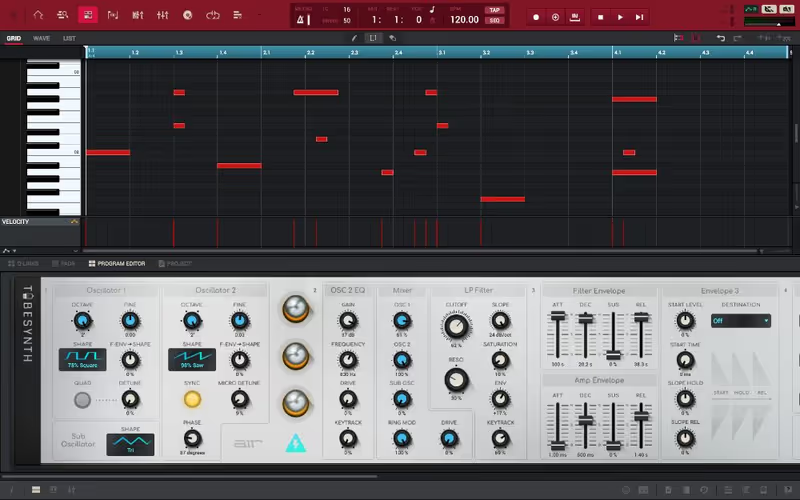
MPC 2 puts the legendary pad-and-swing workflow on your screen, and it still programs drums in a way a mouse never quite matches.

The MPC workflow is a piece of hip-hop history for a reason, and MPC 2 brings it to the desktop without watering it down. Sampling a chop, slicing it across the pads, and tapping out a pattern with the built-in swing is a fundamentally different feeling from drawing notes in a piano roll. It is more physical and, for a lot of producers, more musical. Pair it with a pad controller and the workflow clicks in a way that is hard to explain until you have felt it.

It runs standalone on Akai hardware or as a plugin inside your existing DAW, which is the clever part, because you can use the MPC brain for drums and sampling while arranging in something else. The stock sound content is solid, and the swing engine remains one of the best for giving programmed drums a human bounce. The downside is that as a full DAW replacement it feels limited, the arrangement and mixing tools are basic. But as a drum and sampling environment, its workflow is still special.
Heard on
Rooted in decades of classic hip-hop production Used standalone on Akai MPC hardware Run as a sampling plugin inside other DAWs
Check price — $199
02 Steinberg

Cubase Pro 15

Best for Full Production

A complete professional DAW with class-leading MIDI, but nothing tuned for beat makers specifically. Breadth over speed.

Tested score
8.3
out of 10

How it scored

  • MIDI tools 9.5

    Among the deepest of any DAW.

  • Mixing environment 9.0

    Mature and genuinely professional.

  • Beat workflow speed 7.0

    No step sequencer or session view equivalent.

  • Value 7.5

    Priced at the high end here.

Why we picked it

Best for producers who make beats alongside recording, scoring, or composition and want deep MIDI tools and a professional mixing environment in one DAW.

Who should skip it

Avoid if you only make beats and want the fastest workflow. Cubase is broad and deep but nothing in it is optimised specifically for beat programming.

The good

  • MIDI editing is among the deepest available
  • Professional mixing console and stock effects
  • Comprehensive for recording and composition too

The bad

  • No beat-specific workflow like step sequencing
  • Highest price tier on this list
  • Major upgrades are paid rather than free
Platform
macOS / Windows
Price Tier
High
Free Updates
Paid major upgrades
Standout
Deep MIDI editing
License
Perpetual
Price
$347 (was $579)
Why it scored that way

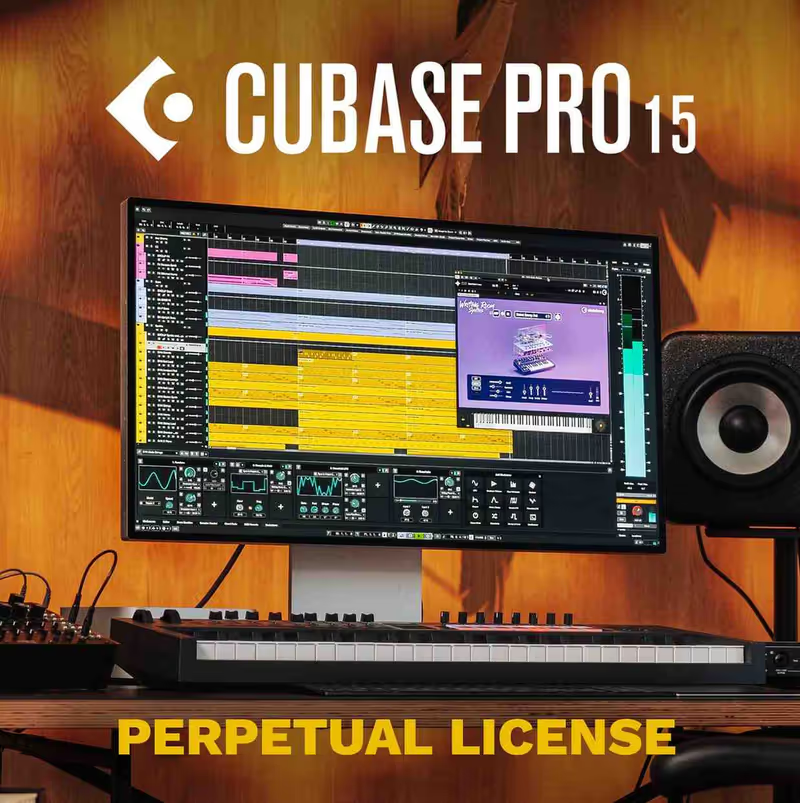
Cubase is the workhorse that does everything well, even if it never quite feels built for beat makers specifically.

Cubase has been around forever and it shows in the best way. The MIDI editing is some of the deepest of any DAW, the mixing console is genuinely professional, and the stock instruments and effects are comprehensive enough to carry a full production. For a producer who also records instruments or wants serious composition tools alongside beat making, it is one of the most complete environments you can buy, and version 15 is stable and refined.

The catch for beat makers specifically is that none of it is optimised for the way we work. There is no equivalent to FL Studio's step sequencer or Ableton's session view, so programming a quick trap pattern takes a few more steps than it should. You are buying breadth and depth rather than speed. If you make beats as part of a wider musical practice that includes recording and scoring, Cubase is a strong home. If you only make beats, you will feel like you are using a fraction of it.

Heard on
Used across professional composition and production Long-standing choice for MIDI-heavy workflows Common in studios that record live instruments
Check price — $347
03 Reason Studios

Reason 13

Best for Modular Studio

A full modular studio in software, and version 13 is finally a comfortable main DAW. Built a whole beat on stock devices alone.

Tested score
8.8
out of 10

How it scored

  • Stock instruments 9.5

    Deep enough to finish a beat with no plugins.

  • Sound design 9.5

    The back-of-rack routing is genuinely tactile.

  • Beat workflow speed 7.5

    Rewards patience over quick loop-banging.

  • Value 8.5

Why we picked it

Best for producers who love synthesis and sound design and want a self-contained studio with deep stock instruments and a uniquely tactile modular routing workflow.

Who should skip it

Avoid if you want the fastest possible workflow for quick trap loops. Reason rewards patient patching over speed, and simpler beats come together faster elsewhere.

The good

  • Modular rack makes routing tactile and creative
  • Stock instruments are deep enough to finish beats
  • Runs as a plugin inside another DAW

The bad

  • Slower workflow for quick loop-based beats
  • Piano roll is competent but not class-leading
  • Modular depth is a learning curve for beginners
Platform
macOS / Windows
Price Tier
Mid
Free Updates
Within major version
Standout
Modular rack routing
License
Perpetual
Price
Check site
Why it scored that way

Reason is the closest thing to owning a full hardware studio without the wall of cables, and version 13 finally feels modern doing it.

The reason to use Reason is the rack. Flip it around and you see the back of every device with the virtual cables, and you can route anything into anything in a way no other DAW makes this tactile. For sound design that matters, because you stumble into happy accidents patching a modulator somewhere it was not meant to go. The stock instruments are deep enough that I built an entire beat, drums, bass, and melody, without loading a single third-party plugin, which is not something I can say about most DAWs at this price.

Where Reason used to fall down was as a main DAW, and version 13 has mostly fixed that. The sequencer is comfortable now, the piano roll is competent, and crucially it runs as a plugin inside another DAW if you want the rack without committing to the whole environment. It is not the fastest program here for banging out a quick trap loop, the workflow rewards patience over speed. But for a producer who loves synthesis and wants a self-contained studio, nothing else on this list feels quite like it.

Heard on
Used by synth-focused producers across electronic genres Run as a plugin rack inside other DAWs Long-standing favourite for hands-on sound design
04 Tracktion

Waveform Pro 13

Best for Budget DAW

A full-featured DAW at a budget price with a real free tier. The value pick, if you can adjust to its single-screen workflow.

Tested score
8.3
out of 10

How it scored

  • Value 9.5

    Undercuts the big names with a real free tier.

  • Feature set 9.0

    Unlimited tracks and modern clip launching.

  • Community support 6.5

    Smaller user base, fewer targeted tutorials.

  • Workflow 8.0

    Single-screen approach takes adjustment.

Why we picked it

Best for budget-conscious producers who want a genuinely full-featured DAW with unlimited tracks and modern features at a fraction of the price of the big names.

Who should skip it

Avoid if you rely heavily on tutorials and community support. Waveform has a smaller user base, so there are fewer guides aimed at your specific problem.

The good

  • Full professional feature set at a low price
  • Capable free version to start with
  • Unlimited tracks and modern clip launching

The bad

  • Smaller community means fewer tutorials
  • Single-screen workflow is idiosyncratic
  • Fewer stock sounds than pricier DAWs
Platform
macOS / Windows / Linux
Price Tier
Low
Free Updates
Within major version
Standout
Value and free tier
License
Perpetual
Price
Check site
Why it scored that way

Waveform is the value pick that quietly does almost everything the expensive DAWs do.

Waveform is the DAW nobody talks about that probably should be in the conversation. The single-screen workflow keeps everything in one view, which some producers love and others need to adjust to, but underneath it is a genuinely full-featured program with unlimited tracks, solid stock plugins, and modern features like clip launching. The pricing is the headline, because it undercuts the big names significantly and there is a capable free version to start with.

For beat makers the appeal is getting professional-grade features without the professional-grade price, which matters a lot when you are starting out and every plugin purchase competes with the DAW itself. The downsides are a smaller community, so fewer tutorials aimed at your exact problem, and a workflow that is idiosyncratic enough to take some adjustment. But the ceiling here is high, and for a producer on a budget who wants room to grow, Waveform delivers far more than its price suggests.

Heard on
Used by budget-conscious and independent producers Popular as a full-featured free DAW entry point Chosen for unlimited-track single-screen workflow
05 Image-Line

FL Studio

Best for Trap Production

The fastest DAW for beats, the best piano roll for 808s, and free updates for life. The first pick for hip-hop and trap.

Tested score
9.0
out of 10

How it scored

  • Beat workflow speed 9.5

    Step sequencer and piano roll are the quickest.

  • Piano roll 9.5

    Widely considered the best for 808 tuning.

  • Value 9.5

    Lifetime free updates on a single purchase.

  • Recording workflow 7.5

    Improved, but built around programming.

Why we picked it

Best for hip-hop, trap, and electronic beat makers who want the fastest workflow, the best piano roll for tuning 808s, and lifetime free updates.

Who should skip it

Avoid if you primarily record live instruments and want a conventional mixing workflow. FL Studio is built around programming rather than recording.

The good

  • Fastest workflow for programming beats
  • Piano roll is the best for tuning 808s
  • Lifetime free updates on a single purchase

The bad

  • Mixing workflow is unconventional
  • Historically weaker at audio recording
  • Interface can overwhelm a total beginner
Platform
macOS / Windows
Price Tier
Mid
Free Updates
Lifetime free updates
Standout
Fastest beat workflow
License
Perpetual
Price
Check site
Why it scored that way

FL Studio is still the fastest DAW for making beats, and lifetime free updates make it the one that keeps giving.

There is a reason a huge share of trap and hip-hop is made in FL Studio, and it is workflow speed. The step sequencer lets you lay down a drum pattern in seconds, and the piano roll is widely considered the best in the business for programming melodies and tuning 808s. Everything about the program is built around getting an idea down fast, which is exactly what beat making rewards. From opening the app to a loop that knocks is quicker here than anywhere else on this list.

The lifetime free updates policy is the other reason it dominates. Buy it once and every future version is free, which over years makes it extraordinary value. The criticisms are fair but minor, the mixing workflow is less conventional than Ableton or Cubase, and audio recording was historically weaker though it has improved a lot. For a beat maker specifically, especially in hip-hop, trap, and electronic styles, it remains the DAW I recommend first. Nothing gets you from nothing to a beat faster.

Heard on
Used across a huge share of modern trap and hip-hop Standard DAW for many BeatStars producers Favoured for its step sequencer and piano roll
Check price
06 Ableton

Ableton Live 12

Best for Electronic Production

Session view is unmatched for loop-based music and the warping is best in class. The pick for house, techno, and electronic.

Tested score
8.9
out of 10

How it scored

  • Loop workflow 9.5

    Session view is unmatched for clips.

  • Warping engine 9.5

    Best in class for audio and samples.

  • Stock instruments 9.0

    Excellent and usable in finished tracks.

  • Value 7.5

    Sits at the higher price end.

Why we picked it

Best for house, techno, and electronic producers who work with loops and samples and want the improvisational session view plus a best-in-class warping engine.

Who should skip it

Avoid if you make pure trap on a budget. Live sits at the higher price end and FL Studio's linear workflow is slightly faster for that specific style.

The good

  • Session view is unmatched for loop-based music
  • Warping engine is best in class for samples
  • Stock instruments usable in finished productions

The bad

  • Higher price tier, with paid major upgrades
  • Slightly slower than FL Studio for pure trap
  • Session and arrangement split takes adjustment
Platform
macOS / Windows
Price Tier
High
Free Updates
Paid major upgrades
Standout
Session view and warping
License
Perpetual
Price
Check site
Why it scored that way

Ableton Live's session view is a different way of thinking about music, and for loop-based producers it is unmatched.

Ableton Live splits into two worlds. Session view is a grid of clips you trigger and layer freely, which is a fundamentally different and more improvisational way to build a track, and it is unmatched for loop-based electronic music and live performance. Arrangement view is the traditional timeline for finishing. Moving between the two, sketching ideas as clips then committing them to an arrangement, is a workflow that a lot of producers find frees them up creatively in a way a linear timeline does not.

The stock instruments and effects are excellent and genuinely usable in finished productions, and the warping engine for manipulating audio and samples is best in class. For house, techno, and electronic beat making it is arguably the strongest choice here. The reasons it is not my universal first pick for beat makers are price, it sits at the higher end, and that for pure trap and hip-hop the FL Studio workflow is a touch faster. But for anyone working with loops and samples, Live is a joy.

Heard on
Standard for electronic production and live performance Widely used across house and techno production Favoured for clip-based improvisational workflow
Check price
07 Apple

Logic Pro

Best for Mac Production

The value king on Mac, with a studio's worth of stock sounds for one low price. Windows producers need not apply.

Tested score
8.5
out of 10

How it scored

  • Value 9.5

    Huge stock library for one modest price.

  • Stock sounds 9.5

    Enough to finish beats with no extra spend.

  • Sampler depth 9.0

    Sampler and Quick Sampler are powerful.

  • Platform reach 6.0

    macOS only, no Windows version.

Why we picked it

Best for Mac-based producers who want a huge stock sound library, a deep sampler, and a complete professional DAW for a single low one-time price.

Who should skip it

Avoid if you use Windows, because Logic is macOS only. Windows producers should look at FL Studio or Ableton instead.

The good

  • Enormous stock sound library for one price
  • Powerful built-in sampler for chopping
  • Complete professional production environment

The bad

  • macOS only, unavailable on Windows
  • No dedicated step sequencer by default
  • Workflow more conventional than FL Studio
Platform
macOS only
Price Tier
Low
Free Updates
Within major version
Standout
Stock content value
License
Perpetual
Price
Check site
Why it scored that way

Logic Pro is the value king for Mac producers, bundling a studio's worth of sounds into one reasonable price.

If you are on a Mac, Logic Pro is almost unfairly good value. For one modest one-time price you get a vast library of stock instruments and samples, a genuinely powerful sampler in Sampler and Quick Sampler, and a complete professional production environment. The amount of usable content that ships with it means a beginner can make full, good-sounding beats without spending another penny, which is not true of most DAWs at any price.

The obvious limitation is that it is macOS only, so it is off the table for Windows producers entirely. The beat-making workflow is also more conventional than FL Studio's, without a dedicated step sequencer, though the Step Sequencer feature and Drum Machine Designer close a lot of that gap. For Mac-based producers who want maximum capability and content for minimum spend, it is the easiest recommendation on this list, and the stock sounds alone justify the price.

Heard on
Widely used by Mac-based producers across genres Common entry point after outgrowing GarageBand Favoured for its large bundled sound library
Check price

What didn’t make the list

3 cut
  • Cakewalk by BandLab BandLab

    Genuinely capable and free, but Windows-only and its workflow is built around traditional recording rather than beat making, so it lost to FL Studio for producers.

  • GarageBand Apple

    A fine free starting point on a Mac, but you outgrow it fast and the natural upgrade is Logic Pro, which we cover directly instead.

  • Pro Tools Avid

    An industry standard for mixing and recording, but its subscription cost and audio-first workflow make it a poor fit for someone whose goal is programming beats.

Frequently Asked Questions

Which DAW is best for beginners?

The one with the stock sounds and workflow closest to the music you want to make. Beginners finish more tracks in a DAW whose default library already sounds like their genre, because it removes the plugin-shopping step that stalls most first projects.

Can I make professional beats in a cheaper DAW?

Yes. Every program on this list can produce a commercially released record, and the entry tiers differ mainly in track counts and bundled instruments rather than audio quality. The rendering engine is the same regardless of which tier you buy.

Should I switch DAWs if I am unhappy?

Only if a specific, repeated task is slow in yours. Switching costs months of muscle memory, and most frustration comes from workflow habits rather than the software. Try rebuilding your template first, since that solves the problem more often than a migration does.

Do DAW upgrades cost extra?

Most vendors charge for major version upgrades while including minor updates free. A few offer lifetime free updates, which changes the long-term cost considerably. Factor that in, because the cheapest entry price is not always the cheapest across five years.

Written By

Louis Raveton

Louis makes Downtempo, Electro-Dub, and beat-driven music under the names Flagada and Monsieur Shwill. He treats his sample drive like a record collection and has been obsessively hunting textures, breaks, and weird synth patches for over a decade. He also composes for Canal+ animation and LVMH installations, which means he has tested tools under real deadline pressure.