Best Mastering Plugins for Beat Makers (2026)

Mastering your own beats is a compromise, and the honest question is not which plugin sounds best but which one stops you making the mix worse while chasing loudness.

We buy most of what we test. When you buy through a link on this page we may earn a commission, which never affects our picks or verdicts. How we work.

The BPM Lab Team
By The BPM Lab Team

Pick one in 10 seconds

Short version
  • You want one plugin that handles the whole master Every module you need, and an assistant to start you off Ozone 12 Advanced $499
  • You already mix well and just need a great limiter The cleanest loudness on this list Pro-L 2 $199
  • You want the plugin to enforce streaming targets Platform presets and a genuinely useful quality meter smart:limit $129
  • Your low end is the thing that never translates Targets the bottom four bands against genre references BASSROOM Was $80Now $39
  • You want a finished master in a few clicks Analyse, pick one of ten presets, nudge five modules FASTER MASTER $80

Compare all 7

smart:limit
1. smart:limit sonible Best for Streaming Masters
9 /10
Elevate Mastering Bundle
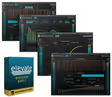
2. Elevate Mastering Bundle Newfangled Audio Best for Adaptive Limiting
9 /10
Pro-L 2
3. Pro-L 2 FabFilter Best for Final Limiting
8 /10
Ozone 12 Advanced
4. Ozone 12 Advanced iZotope Best for Full Mastering
8 /10
Drawmer S73 Intelligent Master Processor 8 /10
BASSROOM
6. BASSROOM Mastering The Mix Best for Low End
8 /10
Was $80Now $39 -51% off View price
FASTER MASTER
7. FASTER MASTER Mastering The Mix Best for Quick Masters
7 /10

Mastering your own beats is a compromise and it is worth saying so plainly. You have heard the track too many times, you are attached to decisions that should be questioned, and you are working on the same speakers you mixed on, so the room's problems are invisible to you twice over. A mastering engineer solves all three, and if a release matters, hiring one is still the right call.

How we picked

Each plugin mastered the same three mixes: a sub-heavy trap beat, a busy lo-fi track with a high noise floor, and a sparse R&B instrumental. We judged how loud each could go before audible distortion, how well it controlled low-end energy, how useful its metering and streaming targets were, and how much genuine improvement it delivered over a simple limiter. How we work →

Top Picks

smart:limit by sonible
01 sonible

smart:limit

Best for Streaming Masters Our rating 9/10
$129 at Plugin Boutique
View price

A limiter that tells you when to stop. The most useful guidance here for self-mastering producers.

The good

  • Quality meter flags audible damage
  • Platform targets show post-normalisation level
  • Stops the pointless loudness chase
  • Strong value against premium limiters

The bad

  • Suggestions are conservative by default
  • Limiting only, no frequency balance help
  • Needs overriding for competitive loudness
Type
Assistive limiter
Skill level
Beginner to intermediate
Standout
Quality meter with damage warnings
Format
VST / AU / AAX
Platform
macOS / Windows
License
Perpetual
Why we rated it that way

Our rating, by criterion

  • Guidance quality 9.5

    Quality meter catches damage the ear misses.

  • Streaming targets 9.5

    Shows post-normalisation results clearly.

  • Value 9.0

    Well below Pro-L 2 with more help.

  • Aggressive loudness 6.5

    Suggestions lean safe, needs overriding.

Why we picked it

Best for producers mastering their own streaming releases who want platform loudness targets enforced and a quality meter that flags when limiting is doing damage.

Who should skip it

Avoid if you want maximum aggressive loudness, because the suggestions lean conservative and competitive beat store levels need manual override.

smart:limit tells you when you have gone too far, which is the single most useful thing a plugin can do for a self-mastering producer.

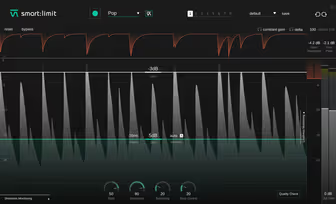
The quality meter is the feature that justifies the purchase. It continuously assesses distortion, dynamic range, and loudness against the target you have set, and flags when the limiting is doing audible damage. On the trap beat I pushed the loudness up until the meter warned about distortion, backed off two decibels, and the result was both competitive and clean, which is a decision I would have got wrong by ear after an hour of listening.

The platform targets are genuinely useful rather than a checkbox feature. Selecting a streaming service sets the appropriate LUFS and true peak values, and the plugin shows how the track will be adjusted after normalisation, which stops the pointless loudness chase that produces flat, lifeless masters. On the sparse R&B instrumental it correctly indicated that pushing harder would only reduce dynamic range without any gain in perceived level.

The friction is that the assistance can be conservative. The suggested settings lean safe, and material that genuinely wants aggressive limiting, like a beat store upload competing on volume, needs manual override.

It is also a limiter with metering rather than a full mastering chain, so the frequency balance work has to happen elsewhere. It lists well below Pro-L 2 while adding guidance that most self-mastering producers need more than they need the last half decibel of transparency.
Check price — $129
Elevate Mastering Bundle by Newfangled Audio
02 Newfangled Audio

Elevate Mastering Bundle

Best for Adaptive Limiting Our rating 9/10
$199 at Plugin Boutique
View price

Twenty-six band adaptive limiting plus three matched processors. Excellent on dense mixes, opaque when wrong.

The good

  • Band-adaptive limiting preserves detail
  • Four matched processors in one purchase
  • Transient shaping across the spectrum

The bad

  • Adaptive decisions are hard to diagnose
  • Adds subtle character, not transparent
  • Slightly flattens space on sparse mixes
Type
Adaptive mastering bundle
Skill level
Intermediate
Standout
Twenty-six band adaptive limiting
Format
VST / AU / AAX
Platform
macOS / Windows
License
Perpetual
Why we rated it that way

Our rating, by criterion

  • Adaptive limiting 9.5

    Kick transients stop ducking the hi-hats.

  • Bundle value 9.5

    Four band-based processors for one limiter's price.

  • Dense mix handling 9.0

    Holds upper-mid detail under heavy limiting.

  • Predictability 6.0

    Opaque decisions are hard to correct.

Why we picked it

Best for producers working on dense busy mixes who want band-adaptive limiting that keeps upper-mid detail a broadband limiter would flatten.

Who should skip it

Avoid if you want predictable transparent processing, because the adaptive decisions are opaque and it imparts subtle character on sparse material.

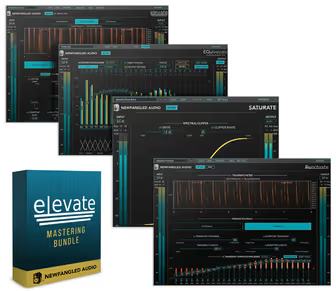
This limiter analyses twenty-six bands independently and adjusts each one, which produces loudness that behaves differently from a conventional limiter.

Conventional limiters treat the whole signal, so a loud kick reduces the level of everything. The adaptive approach here splits the spectrum into twenty-six bands and limits each according to what it hears, so a kick transient does not duck the hi-hats. On the busy lo-fi track this was audibly better than a broadband limiter, holding the detail in the upper mids that a single-band limiter flattened.

The bundle rather than single plugin is genuine value. The spectral EQ, transient shaper, and saturation processor all use the same band-based analysis, so you can add high-frequency detail or reshape transients across the spectrum without a separate multiband setup. On the trap beat the transient shaper let me keep the 808 sustain while sharpening the kick attack, which is a difficult balance with conventional tools.

The friction is that adaptive processing is hard to predict. The plugin makes decisions you cannot see in detail, so when the result is wrong it is not obvious why, and the fix involves trial and error rather than adjustment.

It also imparts a subtle character rather than being fully transparent, which is fine on dense material and less welcome on the sparse R&B instrumental where it slightly flattened the space. At the list price of Pro-L 2 alone you get four processors, which is strong value.

Check price — $199
Pro-L 2 by FabFilter
03 FabFilter

Pro-L 2

Best for Final Limiting Our rating 8/10
$199 at Plugin Boutique
View price

The cleanest limiter here with eight algorithms and precise metering. Does one job, and does it best.

The good

  • Most transparent loudness on this list
  • Algorithm choice suits different material
  • Precise LUFS and true peak metering
  • Oversampling prevents inter-sample clipping

The bad

  • Limiting only, no tonal processing
  • Expensive for a single-purpose plugin
  • Will happily make a bad mix loud
Type
True peak limiter
Skill level
Intermediate to advanced
Standout
Eight limiting algorithms
Format
VST / AU / AAX
Platform
macOS / Windows
License
Perpetual
Why we rated it that way

Our rating, by criterion

  • Transparency 10.0

    Loudest before audible distortion of any here.

  • Algorithm choice 9.5

    Matching style to material genuinely matters.

  • Metering 9.5

    Hit a LUFS target first time.

  • Scope 4.5

    Limiting only, no tonal help at all.

Why we picked it

Best for producers who already mix well and want the most transparent possible loudness with algorithm choice and precise streaming-target metering.

Who should skip it

Avoid if you need help with frequency balance or dynamics, because this is purely a limiter and will make a poor mix loud without improving it.

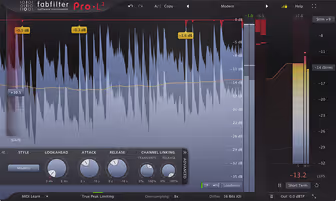
Pro-L 2 is a limiter and nothing else, and it is the cleanest way to get loud on this list.

Eight algorithms sounds like marketing until you use them on different material. On the sparse R&B instrumental the transparent algorithm held the dynamics and simply raised the level, while on the trap beat a more aggressive setting handled the 808 transients without the pumping that a single-algorithm limiter produces. Being able to match the limiting style to the material is the practical difference between this and cheaper limiters.

The metering is the other reason to own it. Real-time loudness measurement in LUFS, true peak indication, and a clear gain reduction display mean you can hit a streaming target precisely rather than guessing, and the oversampling options prevent inter-sample peaks from clipping after codec conversion. On all three test mixes I got within a fraction of a decibel of the intended target on the first attempt.

The friction is scope, and it is deliberate. This is a limiter, so it does no EQ, no compression, and no analysis of your frequency balance, which means it belongs at the end of a chain you built yourself.

For a producer who mixes well that is exactly right, and for one who does not it will happily make a poor balance loud. At one hundred and ninety-nine dollars list it is expensive for a single-purpose plugin, even if it is the one professionals reach for.

Check price — $199
Ozone 12 Advanced by iZotope
04 iZotope

Ozone 12 Advanced

Best for Full Mastering Our rating 8/10
$499 at Plugin Boutique
View price

The complete mastering environment with a genuinely useful assistant. Expensive, and it invites over-processing.

The good

  • Every mastering module in one plugin
  • Assistant gives a sensible starting chain
  • Excellent analysis and metering tools
  • Reference matching built in

The bad

  • Very expensive at list price
  • Module count encourages over-processing
  • Heavy CPU with a full chain
Type
Modular mastering suite
Skill level
Intermediate to advanced
Standout
Assistant chain generation
Format
VST / AU / AAX
Platform
macOS / Windows
License
Perpetual
Why we rated it that way

Our rating, by criterion

  • Completeness 10.0

    Every module a master needs in one window.

  • Assistant quality 9.0

    Starting chains land in the right direction.

  • Metering 9.5

    Deep analysis tools alongside the processing.

  • Value at list 4.5

    Five hundred dollars is hard to defend.

Why we picked it

Best for producers who master their own releases regularly and want a complete modular chain plus an assistant that produces a sensible starting point from the audio.

Who should skip it

Avoid if you master occasionally or mix well already, because the price is high and the module count encourages processing that a good mix does not need.

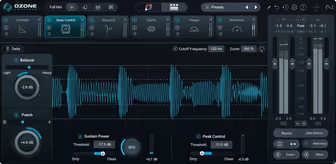
Ozone is the complete mastering environment, and the assistant makes it the most useful single purchase for a producer who does not master often.

The module count is the point. Equalization, dynamic EQ, multiband compression, limiting, stereo imaging, and a set of analysis tools all live in one plugin with a configurable chain, so a full master happens in one window rather than across six plugins. On the sub-heavy trap beat I used dynamic EQ to control a 60Hz build-up, gentle multiband compression, and the limiter, and the whole chain took under ten minutes.

The assistant is what makes it worth recommending to producers rather than engineers. It analyses the track, compares it against a target or a reference you supply, and builds a starting chain, and while the result is never final it is almost always in the right direction. On the lo-fi track with its high noise floor the assistant correctly avoided aggressive high-frequency work that would have lifted the hiss, which is the kind of judgement a beginner would miss.

The friction is price and complexity. Five hundred dollars list is a serious amount for a producer who masters occasionally, and while it discounts heavily and often, the full price is hard to defend.

The module count also invites over-processing, because having a stereo imager available makes people use it, and widening a master is one of the fastest ways to damage mono compatibility. It is heavy on CPU with a full chain, and the interface takes real time to learn.

Check price — $499
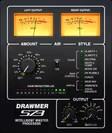
Drawmer S73 Intelligent Master Processor by Softube
05 Softube

Drawmer S73 Intelligent Master Processor

Best for Master Glue Our rating 8/10
$89 at Plugin Boutique
View price

Automatic three-band glue that removes a common way to go wrong. Opaque, coloured, and effective.

The good

  • Multiband cohesion without the configuration
  • Style presets differ meaningfully
  • Prevents a common self-mastering mistake

The bad

  • Band behaviour is completely hidden
  • Adds colour rather than staying transparent
  • Heavy-handed on sparse arrangements
Type
Automatic multiband processor
Skill level
Beginner to intermediate
Standout
Adaptive three-band thresholds
Format
VST / AU / AAX
Platform
macOS / Windows
License
Perpetual
Why we rated it that way

Our rating, by criterion

  • Glue quality 9.0

    Cohesion of a well-set multiband, automatically.

  • Ease of use 9.5

    A style and an intensity control, nothing else.

  • Style differentiation 8.5

    Presets produce genuinely different results.

  • Transparency 6.0

    Colours the sound and hides its decisions.

Why we picked it

Best for producers who want the cohesion of multiband compression without configuring it, applied as a glue stage before a dedicated limiter.

Who should skip it

Avoid if you want visibility or a transparent result, because the band behaviour is hidden and it adds hardware-flavoured density to everything.

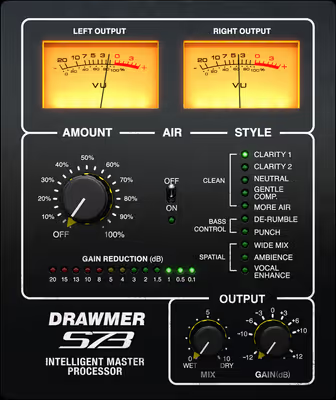
The S73 is three bands of automatic dynamic control with almost nothing to adjust, and it glues a master convincingly.

This models a piece of hardware built to do one job automatically. Three frequency bands each get dynamic processing whose thresholds adapt to the incoming material, so you set a style and an intensity and the plugin handles the rest. On the busy lo-fi track it tightened the low mids and controlled the top without me making any frequency decisions, and the result had the cohesion that multiband compression provides when it is set up well.

The value is in what it prevents. Multiband compression is genuinely difficult to set up, and a badly configured multiband does more damage than no processing at all, so having the band behaviour handled automatically removes a common way for self-mastered tracks to go wrong. The style presets produce meaningfully different results rather than being cosmetic, and the intensity control scales the whole effect sensibly.

The friction is opacity and character. You cannot see what the bands are doing in any detail, so diagnosing an unwanted result means changing style and listening again.

It also colours the sound, adding a hardware-flavoured density that suits dense material and can feel heavy-handed on sparse arrangements, where it slightly closed down the space on the R&B instrumental. At eighty-nine dollars list it is fairly priced, and it works best as a glue stage before a separate limiter rather than as a complete master.

Check price — $89
BASSROOM by Mastering The Mix
06 Mastering The Mix

BASSROOM

Best for Low End Our rating 8/10
Was $80Now $39 -51% off at Plugin Boutique
View price

Genre-referenced low-end targeting at the cheap end of this list. Solves the most common self-mastering failure.

The good

  • Catches low-end problems your room hides
  • Genre targets are genuinely differentiated
  • Simple enough to be hard to misuse
  • Cheap for the problem it solves

The bad

  • Only covers the bottom four bands
  • Pulls unconventional tracks toward the norm
  • A chain component, not a mastering tool
Type
Low-frequency mastering EQ
Skill level
Beginner to intermediate
Standout
Genre reference targets
Format
VST / AU / AAX
Platform
macOS / Windows
License
Perpetual
Why we rated it that way

Our rating, by criterion

  • Problem solving 9.5

    Caught low-end issues monitors hid.

  • Genre targets 9.0

    Advice genuinely differs between genres.

  • Simplicity 9.5

    Four bands, little to get wrong.

  • Scope 4.0

    Nothing above roughly 300Hz.

Why we picked it

Best for producers in untreated rooms whose low end never translates, giving genre-referenced targets for the four lowest bands and specific corrective moves.

Who should skip it

Avoid if you expect a complete mastering tool, because it only addresses the bottom four bands and pulls unconventional tracks toward genre averages.

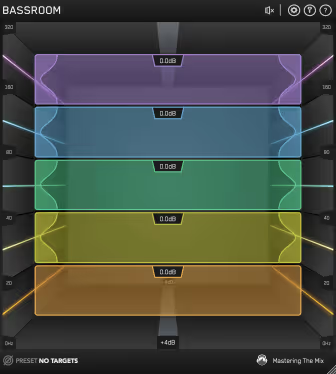
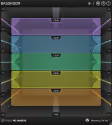
BASSROOM does one thing: it tells you whether your low end matches records in your genre, and then fixes it.

Low end is the part of a master that untreated rooms lie about most, and it is where self-mastered beats most often fail. This plugin compares the four lowest bands of your track against reference targets drawn from commercial releases in a chosen genre, then suggests EQ moves to bring them into line. On the sub-heavy trap beat it flagged an excess around 50Hz that I had not heard on my monitors and a shortage at 120Hz, and applying the suggestions made the track translate noticeably better on a laptop speaker.

The narrow focus is a strength rather than a limitation. Because it only handles four bands, the interface is simple, the suggestions are specific, and there is very little to get wrong. The genre targets are meaningfully different from each other, so selecting hip-hop produces different advice from selecting house, and the reference data reflects how those genres actually balance their bottom end.

The friction is that it solves one problem. Everything above roughly 300Hz is untouched, so this is a component in a chain rather than a mastering tool, and a producer expecting a finished master will be disappointed.

The suggestions are also generalisations from genre averages, so a track deliberately breaking convention will get advice that pulls it back toward the norm. It sits at the cheap end of this list, which is a fair price for what may be the most common problem in self-mastered beats.

Check price — $39
FASTER MASTER by Mastering The Mix
07 Mastering The Mix

FASTER MASTER

Best for Quick Masters Our rating 7/10
$80 at Plugin Boutique
View price

A simpler alternative to Ozone. Ten tailored presets and five drag controls get you a competent master fast, with a limiter built only for loud.

The good

  • Ten track-specific presets from one analysis
  • Every adjustment is level-matched
  • One-click reference comparison
  • Lock keeps a module through preset changes

The bad

  • Limiter only offers six fixed loud steps
  • No gain reduction display
  • Too basic once you know what you want
Type
Assistive mastering chain
Skill level
Beginner
Standout
Ten tailored presets per analysis
Format
VST3 / AU / AAX
Platform
macOS / Windows
License
Perpetual
Why we rated it that way

Our rating, by criterion

  • Speed to result 9.5

    Analyse, pick a preset, adjust two controls.

  • Safety 8.5

    Level-matched moves stop louder from winning.

  • Control depth 5.5

    One or two drag controls per module.

  • Streaming targets 4.5

    Fixed loud steps, ceiling and true peak left to you.

Why we picked it

Best for producers with little mastering experience who want a tailored starting master in a few clicks, as a simpler alternative to Ozone with level-matched controls.

Who should skip it

Avoid if you master to streaming targets or want deep control, because the limiter only offers fixed loud settings and shows no gain reduction.

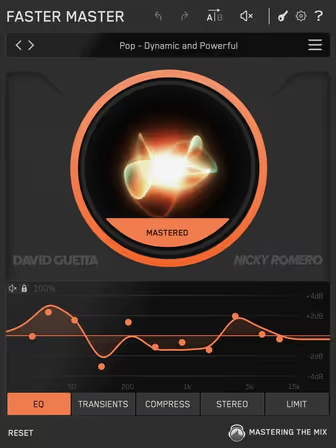
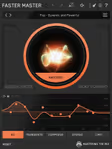
FASTER MASTER listens to your loudest section and hands back ten starting points built for that track. It is the shortest route on this list from a mix to a file you can send.

The workflow is the review. You load it last in the chain, play the loudest section, press Analyze, and it builds ten presets for that track, each a slightly different take on tone, punch and width. On a sparse R&B instrumental that means analysing the second hook, stepping through the presets with the arrows, and keeping the one that opens the top without thickening the low mids.

Each module gets one or two drag controls: EQ, transients, compression with Off, Light, Dynamic and Tight modes, stereo width across four bands, and a limiter with drive, ceiling and a true peak switch. Every move is level-matched, so a brighter EQ curve cannot win just by being louder, which is the trap most producers fall into when they master by ear. A lock button holds a module's settings while you flip through the other presets.

Reference tracks load as new profiles and play back looped and level-matched against your master, so checking a beat against the record an artist named in the brief takes one click. For a producer sending beats out rather than releasing albums, that comparison is worth more than another meter.

The friction is the limiter. Loudness comes in six fixed short-term LUFS steps from minus ten to minus five, and even the three labelled for streaming sit well above the level Spotify normalises to, so it is built for loud beat store uploads rather than streaming targets. The ceiling defaults to minus 0.1 with true peak off, there is no gain reduction display, and anyone who wants to set attack times or crossover points will outgrow it within a week.

Check price — $80

Before you buy

That said, most beats do not get a mastering engineer. They go out as loops, as demos, as beat store uploads, and as streaming releases with no budget attached, and the practical question becomes which plugin helps a producer get a competitive result without doing damage. We ran each of these on the same three mixes (a sub-heavy trap beat, a busy lo-fi track with a deliberately high noise floor, and a sparse R&B instrumental) and judged how loud each could push before audible distortion, how well each controlled low-end energy, how useful the metering was for hitting streaming targets, and how much genuine improvement each gave over a plain limiter.

A warning that applies to every plugin here: none of them fixes a mix. If the low end is fighting, the EQ work belongs in the mix, and if the beat is not translating, the problem is upstream. Mastering plugins make a good mix competitive and make a bad mix loud.

What didn’t make the list

3 cut
  • Ozone 12 Standard iZotope

    The same core engine at a much lower price, but it drops the modules that make the Advanced version worth owning, so we would rather see people wait for a sale on Advanced.

  • MasterCheck 2 NUGEN Audio

    An excellent streaming codec preview tool that we genuinely recommend, though it is a metering utility rather than a processor and does not compete for the same slot.

  • Kratos 2 Maximizer Kuassa

    A capable and affordable limiter that gets loud cleanly, but Pro-L 2 and smart:limit both give more transparency and far better metering for the money.

Frequently Asked Questions

How loud should I master a beat for streaming?

Around minus fourteen LUFS integrated is the level Spotify normalises to, and other platforms apply their own version of the same turn-down. Spotify asks for true peaks below minus one dBTP, or below minus two dBTP when the master is louder than minus fourteen LUFS, so it survives codec conversion. Going louder does not make you louder on Spotify, it just reduces dynamic range, and beat store uploads and demos are the exception where louder still competes.

Do I need a mastering plugin if I have a limiter?

Not necessarily. A good limiter and a careful EQ move cover most of what a beat needs. Dedicated mastering plugins add better metering, streaming targets, multiband control, and reference matching, which help most if your mixing is inconsistent or your room is untreated.

Should I master with a reference track?

Yes, and it is the single most useful habit here. Load a commercial track in your genre, level-match it to your master, and switch between them. Almost every problem you will find is a frequency balance issue rather than a loudness one, and hearing it against a reference is far more reliable than judging in isolation.

Can one plugin replace a mastering engineer?

No. What these do well is provide processing and metering. What an engineer provides is a second set of trained ears in a treated room hearing your track for the first time, and no assistant algorithm reproduces that. For a release that matters, budget for an engineer and use these for everything else.

Written By

The BPM Lab Team

Our collective editorial picks when a topic spans multiple genres or specialties.