

Best VST Synths for Beat Makers (2026)

Every producer owns forty synth presets they downloaded and three they actually use. The synth that earns its place is the one you can steer, not the one with the biggest patch count.

We buy most of what we test. When you buy through a link on this page we may earn a commission, which never affects our picks or verdicts. How we work.

Kai Tanaka
By Kai Tanaka

Kai produces bass music, ambient, and experimental electronic tracks. He has released on independent labels across Europe and designs preset banks for synth developers. He approaches every plugin like a modular patch — always looking for new ways to reshape sound and build textures nobody has heard before.

A software synth is the one plugin that changes what your beats sound like rather than just how clean they are. Sample packs give you somebody else's sounds, and a synth gives you your own, which matters when every producer in your genre is loading the same three loop kits. The catch is that most people buy a synth, open the preset browser, and never touch an oscillator, so the deciding factor is often preset quality rather than synthesis depth.

We tested each of these by asking for the same four sounds. A trap lead with enough bite to cut through hi-hats, a warm analogue-style pad, a plucked melody suited to a lo-fi beat, and an aggressive bass. We judged how good the raw oscillators sound before any processing, how far the engine goes when you do start building, how many factory presets are usable without editing, and what eight-voice polyphony costs in CPU across four instances. The best VST synth for beat making is the one whose factory library gets you started and whose engine does not run out of road six months later.

These seven cover the range from instant-gratification preset machines to deep design tools. If you already own one and want more sounds rather than more synthesis, the Serum preset banks and Massive banks are a cheaper route to a new palette.

Pick one in 10 seconds

Short version
  • You want the most authentic analogue sound in software Circuit-level modelling, and the CPU bill to match Diva
  • You want to build patches from modular blocks Drag any generator or effect anywhere in the chain Phase Plant
  • You want hundreds of classic hardware sounds instantly The fastest route from blank project to usable patch Analog Lab Pro
  • You want serious sound design without the CPU hit Deep engine, light footprint, fast interface Hive 2
  • You are starting out and have twenty-five dollars Wavetable synthesis at a beginner price SynthMaster One

Compare all 7

Diva 7.6
Synthesis
Analogue modelling
Presets
Around 1200
CPU
Very high
Phase Plant
2. Phase Plant Kilohearts
8.5
Synthesis
Modular hybrid
Presets
Around 400
CPU
Moderate to high
Synthesis
Modelled classics preset player
Presets
Over 2000
CPU
Low to moderate
Hive 2 8.5
Synthesis
Wavetable and virtual analogue
Presets
Around 1300
CPU
Low
SynthMaster One 8.0
Synthesis
Wavetable
Presets
Around 800
CPU
Low
Synthesis
Virtual analogue Juno emulation
Presets
Around 300
CPU
Very low
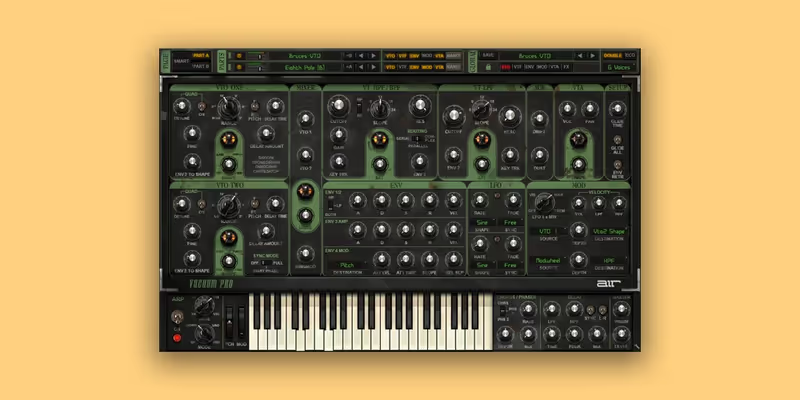
Vacuum Pro
7. Vacuum Pro AIR Music Technology
8.1
Synthesis
Vacuum tube modelling
Presets
Around 500
CPU
Moderate
Read more →

Methodology

Who is this for

Beat makers, sample-based producers, and electronic musicians who need reliable sounds and tools for finishing tracks fast.

Our testing process

We test every pack and plugin in actual beat sessions, from programming drum patterns to full arrangement and mixdown. We evaluate how tools perform in a dense mix, not in solo.

Why you should trust us

We buy most reviewed plugins ourselves. Occasionally we receive NFRs for evaluation, but this never guarantees a review or positive verdict. We may earn commissions from links, but our editorial choices are never for sale.

Also considered

For every category, we audition the top 8 to 15 options, discarding any that fail our usability test or deliver a low inspiration rate in a real session.

Top Picks

01 u-he

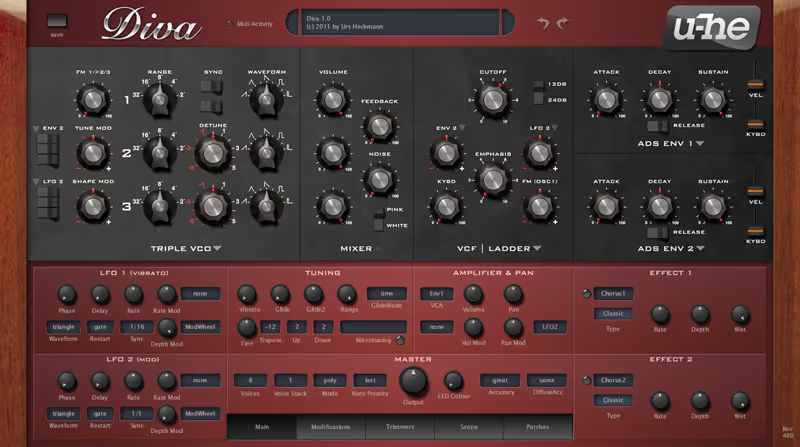
Diva

Best for Analogue Warmth

The most convincing analogue tone in software, and the heaviest CPU bill here. Worth it if warmth is the point.

Tested score
7.6
out of 10

How it scored

  • Raw sound 10.0

    Filter behaviour is closest to real hardware.

  • Synthesis depth 9.0

    Mix and match modules from different classics.

  • Preset library 7.5

    Well made, but a smaller library than rivals.

  • CPU load 4.0

    Divine mode struggles on older machines.

Why we picked it

Best for producers making warm keys, dusty plucks, and analogue-style bass who want circuit-level modelling and are willing to pay for it in CPU.

Who should skip it

Avoid if you work on an older laptop or you mainly want bright modern digital leads, because divine mode is brutally heavy and the character is vintage rather than aggressive.

The good

  • Closest analogue filter behaviour in software
  • Mix modules from different classic synths
  • Sustained sounds have real harmonic movement

The bad

  • Extremely heavy CPU in divine mode
  • Smaller preset library than rivals
  • Vintage character rather than modern bite
Synthesis
Analogue modelling
Presets
Around 1200
CPU
Very high
Format
VST / AU / AAX
Platform
macOS / Windows
License
Perpetual
Price
$179
Why it scored that way

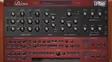
Diva sounds like hardware because it models the circuits rather than the results. Nothing else in software gets this close to a real analogue filter.

The difference shows up on sustained sounds. I built a warm pad with two oscillators slightly detuned and swept the filter slowly, and the resonance had a physical, slightly unstable quality that other software filters flatten out. On the plucked lo-fi melody the same thing happened at the note attack, where there is a tiny bloom of harmonic movement that reads to the ear as a real instrument. If your beats live on warm keys, dusty plucks, and analogue-style bass, this is the strongest sound on this list.

The module system is the clever part. You choose an oscillator section from one classic synth, a filter from another, and envelopes from a third, so you can build a hybrid that never existed in hardware. I paired a Juno-style oscillator bank with a Minimoog-style ladder filter and got a bass with body from one machine and bite from the other. The factory library is smaller than the preset-heavy competition here, but the patches are well made and hold up without editing.

The friction is CPU, and it is severe. Divine mode with high oversampling on a six-note pad will make an older laptop struggle on its own, and running two instances alongside a full beat is not realistic without freezing. The workaround is to write in draft mode and switch to divine before bouncing, which works but adds a step. At one hundred and seventy-nine dollars it is a specialist purchase for producers who care specifically about analogue tone, and overkill for anyone chasing bright digital leads.
Heard on
A standard analogue emulation in electronic production Widely used for warm pads and vintage-style bass Referenced across u-he sound design tutorials
Check price — $179
02 Kilohearts

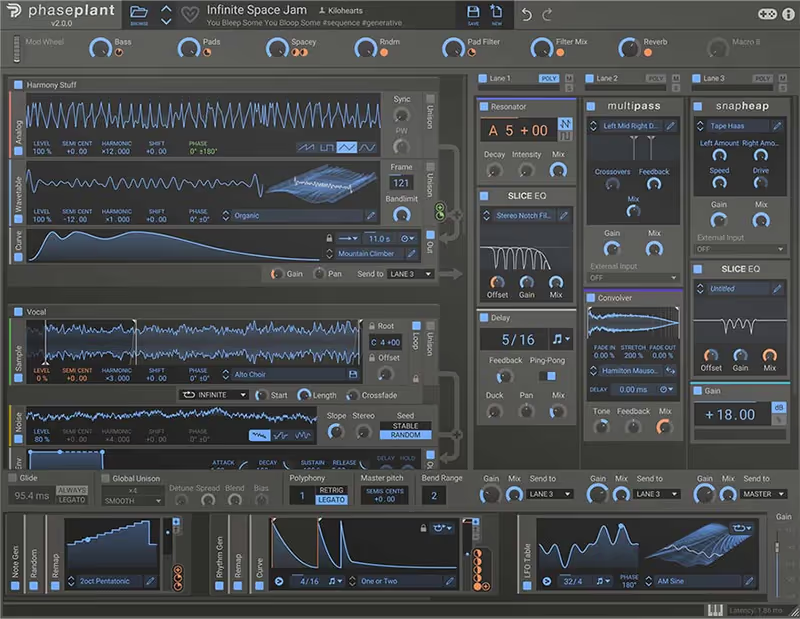
Phase Plant

Best for Sound Design

The most flexible patch architecture on this list. A genuine sound design tool rather than a preset machine.

Tested score
8.5
out of 10

How it scored

  • Synthesis depth 10.0

    Stack any generator type in any order.

  • Effects routing 9.5

    Snapins and band-split processing inside the patch.

  • Raw sound 8.5

    Clean and modern rather than characterful.

  • Speed to result 6.0

    A blank rack is a slow place to start.

Why we picked it

Best for producers who build their own patches and want modular stacking of wavetables, samples, and noise with band-split effects inside the instrument.

Who should skip it

Avoid if you mainly work from presets or want a sound in ten seconds, because an empty modular rack is a slow starting point and the factory library is modest.

The good

  • Stack wavetables, samples, and noise in one patch
  • Band-split effects inside the instrument
  • Routing flexibility beats every rival here

The bad

  • Intimidating for preset-driven producers
  • Modest factory preset count
  • Complex patches get CPU expensive
Synthesis
Modular hybrid
Presets
Around 400
CPU
Moderate to high
Format
VST / AU / AAX
Platform
macOS / Windows
License
Perpetual
Price
$199
Why it scored that way

Phase Plant is a blank canvas with building blocks. You add exactly the generators you need and nothing you do not.

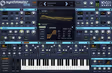
Most synths give you a fixed architecture and ask you to work within it. Phase Plant gives you an empty rack and lets you drop in analogue oscillators, wavetables, samples, and noise generators in any combination, each with its own routing. I built the trap lead by stacking a wavetable generator for the body, a noise layer for the attack transient, and a sampled vinyl crackle underneath, all inside one patch. Doing that in a conventional synth means three instances and a bus.

The Snapin effects system is the other half of the appeal. Any Kilohearts effect can sit inside the patch at any point in the chain, including inside a Multipass for band-split processing, so distortion on the low band and chorus on the high band happens within the instrument. On the aggressive bass I put a bitcrusher on the mids only and kept the sub clean, which is exactly the sort of thing that usually needs a whole mixer routing exercise.

The friction is that a blank rack is intimidating, and the factory presets, while good, are fewer than a preset-focused synth offers. There is a real learning investment before you are faster with it than with a fixed-architecture synth, and producers who want a sound in ten seconds will find it slower. CPU is moderate and scales with how much you stack, which is fair but means a complex patch is expensive. At one hundred and ninety-nine dollars it is the best sound design synth here for producers who genuinely build patches.

Heard on
Popular for layered bass design in electronic music Used with Kilohearts Snapin effect chains Referenced in modern sound design tutorials
Check price — $199
03 Arturia

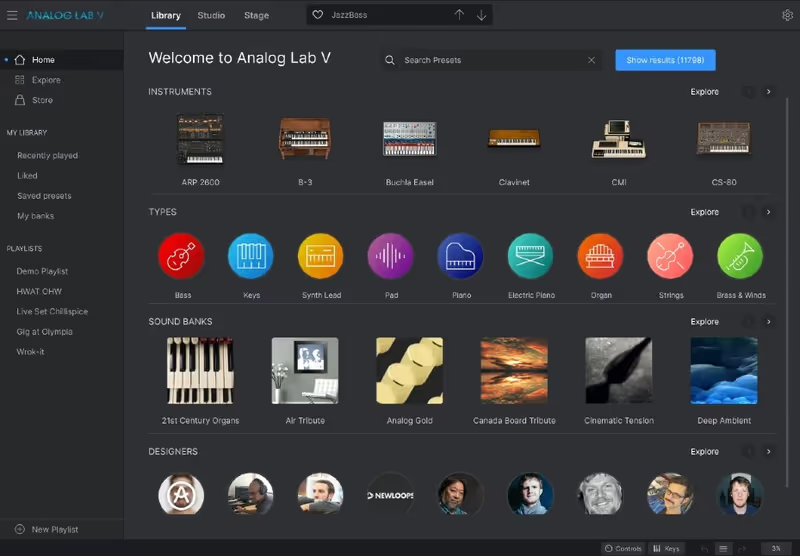
Analog Lab Pro

Best for Fast Writing

The fastest preset library here, drawn from Arturia's modelled classics. Enormous breadth, shallow editing.

Tested score
8.3
out of 10

How it scored

  • Preset library 10.0

    Thousands of patches, well tagged and usable.

  • Speed to result 10.0

    Blank project to recorded part in four minutes.

  • Raw sound 9.0

    Same engines as the full Arturia instruments.

  • Synthesis depth 4.0

    Four macros, no deep envelope or filter editing.

Why we picked it

Best for producers who write quickly and want thousands of high-quality classic keyboard and synth patches searchable by genre without any patch programming.

Who should skip it

Avoid if you want to learn synthesis or edit deeply, because macro controls are the ceiling and the full editing panels are not included.

The good

  • Enormous, well-tagged, genuinely usable library
  • Sound quality of the full Arturia engines
  • Sensible macro controls on every patch
  • Split and layer two patches in multi mode

The bad

  • No deep editing beyond four macros
  • Large install and a sometimes sluggish browser
  • Teaches you nothing about synthesis
Synthesis
Modelled classics preset player
Presets
Over 2000
CPU
Low to moderate
Format
VST / AU / AAX
Platform
macOS / Windows
License
Perpetual
Price
$199
Why it scored that way

Analog Lab Pro is the fastest route from an empty project to a usable sound. Thousands of patches from famous hardware, one browser.

This is not a synth you design on, it is a library you play. Arturia modelled a long list of classic keyboards and synthesizers, and Analog Lab collects the best patches from all of them behind one browser with tags for instrument type, genre, and character. I searched for plucks, auditioned about fifteen, and had the lo-fi melody recorded within four minutes. For producers whose strength is writing rather than sound design, that speed is the entire argument.

The sound quality is genuinely high because these are the same engines as Arturia's full instruments, so the Rhodes-style keys, Juno-style pads, and Prophet-style brass all hold up in a mix without much help. Each patch exposes four macro controls that are sensibly mapped, so you can brighten, add movement, or thicken a sound without opening a full synth panel. The multi mode lets you split or layer two patches, which covers most of what a beat needs from a keyboard part.

The friction is the ceiling. When a patch is nearly right but you need to change the filter envelope specifically, you cannot, because the deep editing lives in the full instruments that Analog Lab does not include. You are renting the surface of eight synths rather than owning one. It is also a large install and the browser can feel slow with the full library loaded. At one hundred and ninety-nine dollars it is excellent value for the sound count and a poor choice for anyone who wants to learn synthesis.

Heard on
A common first stop for keyboard parts in modern production Widely bundled with Arturia controller hardware Referenced in Arturia workflow demonstrations
Check price — $199
04 u-he

Hive 2

Best for Everyday Synth

The best balance of depth, speed, and CPU here. Not the most characterful, and the one you will open most.

Tested score
8.5
out of 10

How it scored

  • Workflow 9.5

    One page, drag and drop modulation.

  • CPU load 9.0

    Light enough to run several instances.

  • Synthesis depth 8.5

    Shape sequencer adds real rhythmic control.

  • Character 7.0

    Clean and modern rather than distinctive.

Why we picked it

Best for producers who want a deep wavetable and analogue hybrid engine with fast one-page editing and a CPU footprint light enough for large sessions.

Who should skip it

Avoid if you want a synth with strong sonic personality, because Hive is clean and capable rather than characterful, and the presets skew hard toward bass music.

The good

  • Fast single-page workflow
  • Low CPU for the depth on offer
  • Shape sequencer is excellent for rhythmic leads
  • Built-in effects finish patches in the plugin

The bad

  • Clean rather than characterful
  • Presets lean heavily toward bass music
  • Less raw flexibility than a modular engine
Synthesis
Wavetable and virtual analogue
Presets
Around 1300
CPU
Low
Format
VST / AU / AAX
Platform
macOS / Windows
License
Perpetual
Price
$149
Why it scored that way

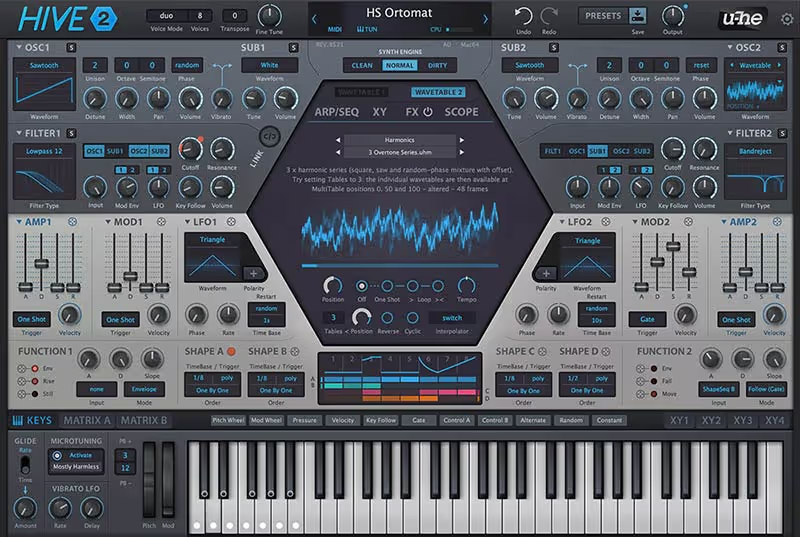
Hive 2 is u-he's answer to the complaint that their synths eat processors. Deep engine, single page, light on CPU.

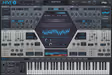
The whole design is about removing friction. Everything lives on one page, the modulation is drag and drop, and the sound is ready quickly because you are never hunting through tabs. I built the trap lead in about ninety seconds by picking a wavetable, adding unison, and dragging an envelope onto the filter cutoff. Compared with Diva, which is the same company, the workflow difference is dramatic.

The engine is deeper than the simple layout suggests. Two oscillators that switch between wavetable and virtual analogue, a decent filter section, a shape sequencer for rhythmic modulation, and a built-in effects chain that is good enough to finish a patch without leaving the plugin. The shape sequencer is the standout for beat makers, because getting a lead to pulse in time with the beat takes one drawn shape rather than an LFO and a tempo calculation. On the aggressive bass it produced a growl that sat well against an 808 without much EQ.

The friction is character. It is a clean, modern, capable synth rather than a distinctive one, so it does not have the analogue personality of Diva or the raw flexibility of Phase Plant. The factory presets lean heavily toward EDM and bass music, which is useful if that is your genre and less so for lo-fi. At one hundred and forty-nine dollars it is the best balance on this list between depth, speed, and CPU, which is why it ends up being the one I actually open most.

Heard on
Popular for bass and lead design in electronic genres Used as a lighter alternative to Diva in big sessions Referenced in u-he wavetable tutorials
Check price — $149
05 KV331 Audio

SynthMaster One

Best for First Synth

Real wavetable synthesis at twenty-five dollars, with a signal path you can actually learn from. The starter pick.

Tested score
8.0
out of 10

How it scored

  • Value 10.0

    A full wavetable engine for twenty-five dollars.

  • Learnability 9.0

    Visible signal path with no hidden pages.

  • Raw sound 7.0

    Clean, but sterile next to the premium engines.

  • Effects quality 6.0

    Functional rather than good.

Why we picked it

Best for beginners and budget-limited producers who want a real wavetable engine with a readable signal path and a large preset library for under thirty dollars.

Who should skip it

Avoid if you want characterful oscillators or high-quality built-in effects, because the sound is clean but sterile and the effects are functional at best.

The good

  • Genuine wavetable engine at a starter price
  • Readable layout that teaches synthesis
  • Broad wavetable selection across genres

The bad

  • Oscillators sound clean but sterile
  • Built-in effects are weak
  • Preset library quality is inconsistent
Synthesis
Wavetable
Presets
Around 800
CPU
Low
Format
VST / AU / AAX
Platform
macOS / Windows
License
Perpetual
Price
$49
Why it scored that way

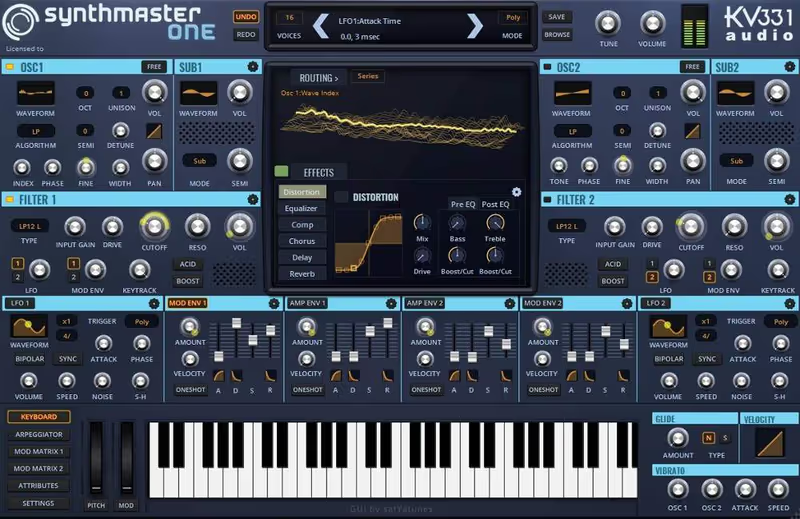
SynthMaster One is twenty-five dollars and does wavetable synthesis properly. As a first paid synth it is hard to argue with.

The value here is straightforward. You get a real wavetable engine with two oscillators, unison, a decent filter, an arpeggiator, and an effects section, plus a factory library of several hundred patches that covers most modern genres. I made the trap lead with a bright wavetable, four voices of unison, and a touch of the built-in distortion, and it sat in the beat without needing anything else. At this price that is a strong result.

The interface deserves credit for being readable. Oscillators on the left, filters in the middle, modulation clearly laid out, and no hidden pages, which makes it a genuinely good synth to learn on. A beginner can see the signal path and understand why a change does what it does, and that is worth more than a bigger preset count. The wavetable selection is broad enough to cover plucks, pads, leads, and bass without feeling limited.

The friction is polish and depth. The oscillators are clean but a little sterile next to Diva or Hive, the filters do not have much character when pushed, and the effects are functional rather than good. Complex modulation is possible but fiddly, and the preset library varies a lot in quality, with some excellent patches sitting next to obvious filler. It will not be the last synth you buy, and that is fine, because at twenty-five dollars it does not need to be.

Heard on
A common recommendation as a first paid synth Popular in budget bedroom production setups Referenced in beginner synthesis tutorials
Check price — $49
06 TAL

TAL-U-NO-LX Synth

Best for Vintage Pads

A convincing Juno-60 with the chorus that made it famous. A specialist that lo-fi and house producers will use constantly.

Tested score
8.1
out of 10

How it scored

  • Character 9.5

    The chorus circuit is the real draw.

  • Speed to result 9.5

    Warm pad recorded in under two minutes.

  • CPU load 9.0

    Very light, runs many instances happily.

  • Synthesis depth 4.5

    One oscillator, one envelope, no modulation depth.

Why we picked it

Best for lo-fi, house, and synthwave producers who want authentic Juno-60 pads, plucks, and that specific chorus character with almost no programming.

Who should skip it

Avoid if you need aggressive modern leads or complex modulation, because a single oscillator and one envelope is the whole architecture.

The good

  • The Juno chorus is convincingly modelled
  • Warm pads and plucks with almost no effort
  • Extremely light on CPU

The bad

  • Single oscillator limits the range severely
  • No modern or aggressive sounds
  • Faithful old front panel means no visual feedback
Synthesis
Virtual analogue Juno emulation
Presets
Around 300
CPU
Very low
Format
VST / AU / AAX
Platform
macOS / Windows
License
Perpetual
Price
$69
Why it scored that way

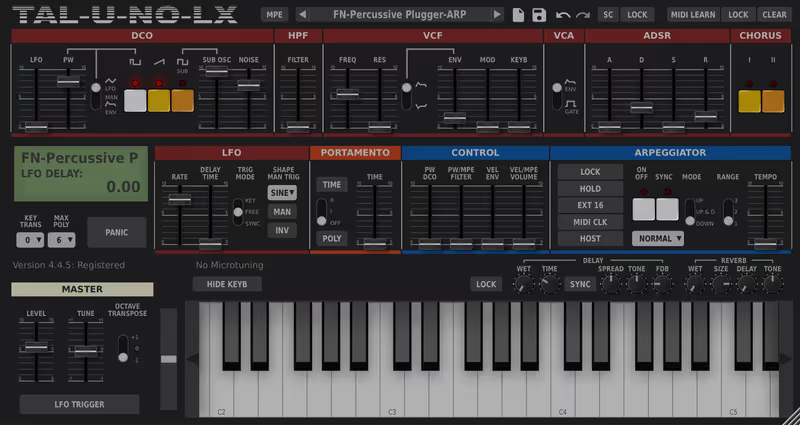
This is a Juno-60 in a plugin, chorus and all. For lo-fi pads and warm plucks it is almost unfairly effective.

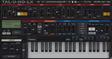
One oscillator, a sub, a noise source, one filter, one envelope. That is the entire synth, and it is why it works. The Juno-60 architecture is simple enough that you cannot get lost, so making a warm pad is a matter of raising the filter, lengthening the release, and switching on the chorus. I had the analogue-style pad recorded within two minutes, and it needed no EQ to sit under a beat.

The chorus circuit is the reason people buy this. The original Juno chorus has a specific wide, slightly wobbling character that is instantly recognisable on records, and TAL modelled it convincingly enough that the emulation gets used on commercial releases. On the plucked lo-fi melody I set a short decay, added chorus mode two, and it produced exactly the dusty, washed, slightly detuned quality that the genre lives on. Running it through a tape effect afterwards took it the rest of the way.

The friction is that it does one thing. There is no wavetable, no complex modulation, no second oscillator, and no deep effects section, so anything aggressive or modern is beyond it. The preset library is small and the interface is a faithful copy of a 1982 front panel, which is charming and also means no visual feedback of any kind. At sixty-nine dollars it is a specialist that earns its place on a lo-fi or house producer's drive and would be a strange only-synth.

Heard on
Used on commercial lo-fi and synthwave releases A common stand-in for real Juno hardware Referenced in vintage synth emulation comparisons
Check price — $69
07 AIR Music Technology

Vacuum Pro

Best for Dirty Analogue

Valve modelling that arrives already dirty, with two engines to layer. Distinctive character at a fair price.

Tested score
8.1
out of 10

How it scored

  • Character 9.0

    Valve drive thickens the low mids convincingly.

  • Value 9.0

    Two engines and real character for forty-nine dollars.

  • Layering 8.5

    Two independent engines with split and stack.

  • Workflow 6.0

    Cramped dark panel with similar-looking knobs.

Why we picked it

Best for producers who want thick, valve-driven analogue character with built-in grit, and who like layering two independent engines inside one instrument.

Who should skip it

Avoid if you want precise clean digital sounds or a modern readable interface, because the panel is cramped and the character is dirty by design.

The good

  • Distinctive valve-driven harmonic thickness
  • Two independent engines to split or stack
  • Drift modelling adds real analogue movement
  • Frequently discounted below fifty dollars

The bad

  • Cramped, dark, hard-to-navigate panel
  • Dated preset library in places
  • Less precise than modern wavetable synths
Synthesis
Vacuum tube modelling
Presets
Around 500
CPU
Moderate
Format
VST / AU / AAX
Platform
macOS / Windows
License
Perpetual
Price
$99
Why it scored that way

Vacuum Pro models valve circuits rather than transistors, which gives it a thicker, dirtier character than the other analogue emulations here.

The tube angle is not marketing. Running the oscillators hot introduces a specific kind of harmonic thickening that sounds different from standard analogue modelling, warmer in the low mids and grittier at the top. I built the aggressive bass by pushing the drive on both engines and it arrived already distorted in a way that suited a beat, with none of the thin quality you get when a clean synth is saturated afterwards.

Having two independent synth engines inside one instrument is more useful than it sounds. You can build a sub-heavy patch on one and a bright detuned layer on the other, then set a keyboard split or stack them, which covers layered bass and lead work without a second instance. The drift modelling adds slow pitch instability across voices, and on the analogue-style pad it produced movement that a static digital synth cannot match.

The friction is the interface, which is dark, small, and uses a lot of similar-looking knobs, so finding a specific parameter is slower than it should be. The preset library is dated in places and leans toward genres that were popular when it was released. It is also less precise than a modern wavetable synth, which is the trade-off for the character. At forty-nine dollars it is genuinely good value for a distinctive sound, and it frequently appears cheaper in sales, which makes it easy to recommend as a second or third synth.

Heard on
Used for gritty analogue-style bass and leads Popular as an affordable character synth Referenced in AIR Music Technology synth demos
Check price — $99

What didn’t make the list

3 cut
  • Bazille u-he

    A brilliant modular patching synth with real depth, but the workflow assumes you enjoy cabling oscillators together, which is a narrow ask for most beat makers.

  • MPowerSynth MeldaProduction

    Enormously capable and fairly priced, but the MeldaProduction interface slows down patch design enough that we picked friendlier engines at similar money.

  • Repro u-he

    A superb pair of vintage mono and poly emulations, but it overlaps heavily with Diva from the same developer and Diva is the better single purchase.

Frequently Asked Questions

Which VST synth should a beginner buy first?

Something with a strong factory library and a visible signal path. Analog Lab Pro if you want immediate results from classic hardware sounds, or SynthMaster One if you want to learn wavetable synthesis cheaply. Deep modular synths are a poor first purchase because the blank patch is intimidating.

Do I need an expensive synth to make professional beats?

No. Plenty of charting records use stock DAW synths and free plugins. What a paid synth buys you is better raw oscillator quality, a stronger preset library, and an engine that keeps up as your sound design improves. Arrangement and mixing will limit you long before the synth does.

What is the difference between wavetable and analogue modelling?

Wavetable synthesis scans through stored waveforms, which suits modern, moving, digital sounds like trap leads and bass growls. Analogue modelling simulates the circuits of hardware synths, which suits warm pads, plucks, and basses. Most producers end up owning one of each.

Why is my synth using so much CPU?

Polyphony, oversampling, and unison voices are the usual causes. A pad with eight unison voices across six notes is forty-eight oscillators running at once. Reduce unison, lower the quality setting while writing, and bounce finished parts to audio rather than keeping every instance live.

Written By

Kai Tanaka

Kai produces bass music, ambient, and experimental electronic tracks. He has released on independent labels across Europe and designs preset banks for synth developers. He approaches every plugin like a modular patch — always looking for new ways to reshape sound and build textures nobody has heard before.