
Do This Now
- 1 Start with a sine wave. Every other waveform is a sine plus problems you have to remove.
- 2 Saturation is not decoration. It is the only reason a sub is audible on a phone.
- 3 Keep everything below 100Hz in mono or the low end collapses on club systems.
- 4 Layer a clean sub with a separate mid-range sound rather than making one do both.
- 5 Shorten the release so notes stop before the next one starts.
Bass is the part of a beat that most reveals whether the producer knows what they are doing. It is easy to make something that sounds enormous on a decent pair of headphones and then discover that it is completely absent on a laptop, a phone, and a car stereo, which is where nearly everyone will actually hear it.
The reason is physics rather than mixing. A phone speaker cannot reproduce a 45Hz fundamental at all, so the only way the listener perceives that note is through its harmonics higher up the spectrum. Designing bass is largely the craft of generating those harmonics deliberately.
Step 1: Start With a Sine and Add From There
Open a synth, set one oscillator to a sine wave, and turn everything else off.
A sine is the fundamental with nothing else attached, which makes it the honest starting point. Saw and square waves already contain a stack of harmonics, some of which you will spend the next twenty minutes filtering out. Building up from nothing is faster than carving down from too much.
The friction is that a raw sine sounds boring and you will be tempted to abandon it. That is correct at this stage, because character comes from what you add next rather than from the oscillator choice.
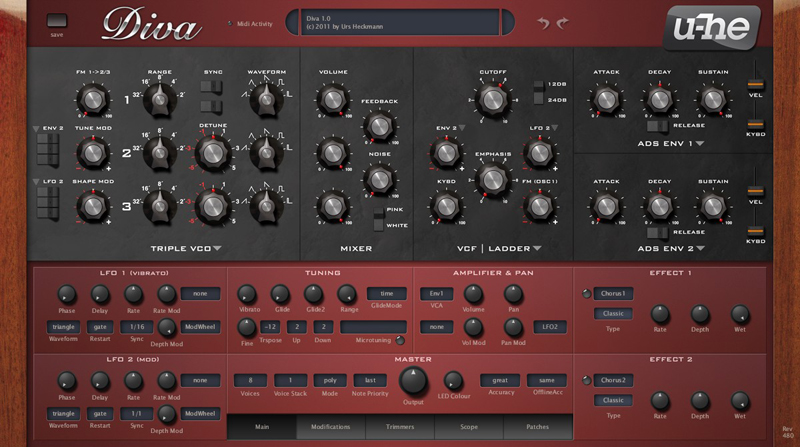
Step 2: Saturate Until It Speaks on a Laptop
This is the step that decides whether your bass translates, and most producers treat it as an afterthought.
Put a saturator after the oscillator and drive it while listening on your worst speaker. As the drive increases, harmonics appear at multiples of the fundamental, and at some point the note becomes clearly audible on a laptop speaker even though the speaker is producing none of the actual sub. Stop there.
- Check on
- Laptop or phone speaker
- Drive until
- Note is clearly pitched, not just present
- Watch for
- Harshness in the 1-3kHz range
- Too far
- Sounds distorted on monitors
The annoyance is that saturation adds level as well as harmonics, so trim the output after each adjustment or you will convince yourself that louder is better.
Step 3: Shape the Envelope to the Tempo
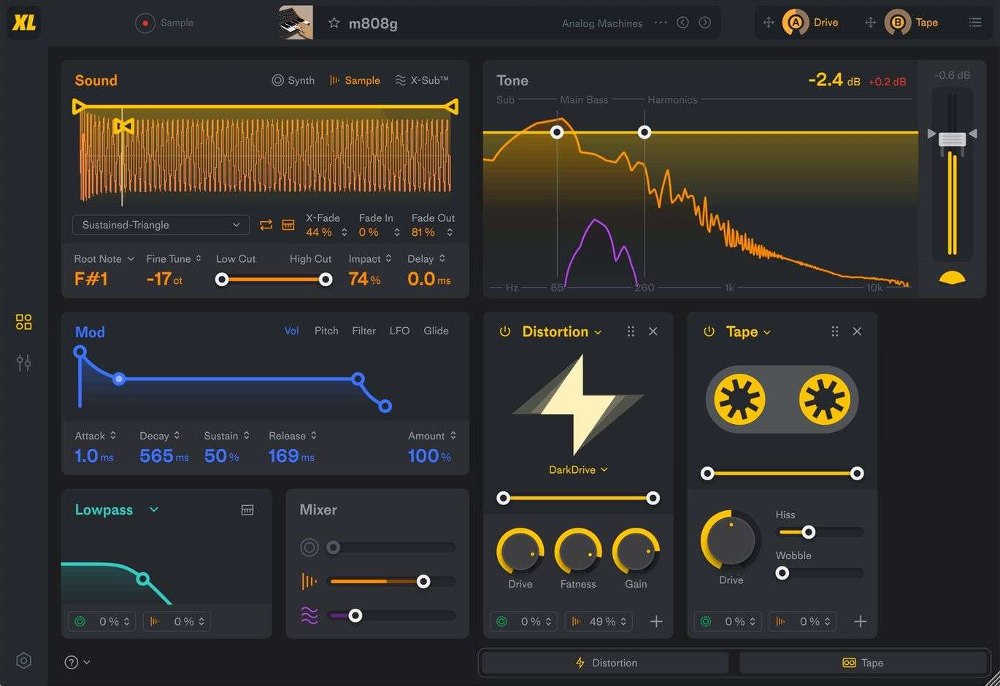
An 808 or bass note that rings on into the next note creates a chord in the sub range, and sub-range chords sound like mud.
Set the release so the note decays to silence just before the next one begins. At 140 BPM in half time this can be quite long, and at 174 BPM it needs to be very short. The attack matters too: an instant attack gives a click that helps definition, and a slower one sounds rounder but arrives late.
- Attack
- 0-5ms for definition
- Decay
- Shape the body
- Sustain
- Depends on note length
- Release
- Short enough to clear the next note
Step 4: Layer the Sub and the Character Separately
Trying to make one sound do both jobs is the most common design mistake.
Run two layers. A clean sine sub carrying the fundamental with almost no processing, and a separate mid-range layer with the saturation, filtering, and movement. High-pass the character layer above 100Hz so it never touches the sub, and keep the sub layer in mono.
This also lets you process each layer appropriately, since the sub wants nothing and the character layer can take distortion, chorus, and filtering without any risk to the low end.
The friction is phase. Two layers playing the same note can partially cancel, so check the combined level against each layer alone and flip the phase on one if the total is quieter than expected.
Step 5: Add Movement With Modulation
A static bass note is fine for hip-hop and dull for most electronic genres.
Assign an LFO to the filter cutoff on the character layer only, tempo-synced to an eighth or sixteenth note, and keep the depth modest. For more aggressive styles, a second LFO on the wavetable position at a different rate produces the shifting quality that reads as sound design rather than a held note.
Leave the sub layer entirely unmodulated. Movement down there translates as instability rather than interest.

Step 6: Check in Mono and on Three Speakers
Before you commit, collapse the mix to mono and listen for the bass disappearing.
If the level drops noticeably, something below 100Hz has stereo content and needs to be narrowed. Then listen on monitors, a laptop, and a phone. A well-designed bass keeps its pitch identifiable on all three, even though each one is reproducing a completely different part of it.
Bass design is less about finding an impressive sound and more about building one that survives the journey to the listener. A sub with the right harmonics beats a spectacular sound that only exists in your headphones.
Frequently Asked Questions
Why does my bass sound huge in headphones and vanish on a phone?
Because headphones reproduce the fundamental and a phone does not. A phone speaker cannot produce anything below roughly 300Hz, so it plays only the harmonics above your bass note. A clean sine has almost no harmonics, which means there is nothing left to hear.
Should bass be in mono or stereo?
Everything below about 100Hz should be mono. Stereo information down there causes phase cancellation when a club system sums to mono, which can make the bass disappear entirely. Width belongs in the mid-range harmonics, not the fundamental.
What is the difference between a sub and a bass?
The sub is the fundamental, a low sine tone that you feel more than hear. The bass is the mid-range character that makes the note audible and gives it personality. Most well-designed low end is two separate layers doing those two jobs.
How do I stop my bass notes from running into each other?
Shorten the release so each note stops before the next begins. Overlapping bass notes create momentary chords in the sub range, which reads as mud rather than harmony. At faster tempos this matters more, because the gaps between notes are shorter.
Related Articles
Best Massive Presets for Producers (2026)
We tested the top NI Massive preset banks for bass weight, modulation depth, and how cleanly the patches sit in trap, dubstep, and bass-heavy productions.
Best Bass Plugins for Beat Makers (2026)
We tested the top bass plugins for sub weight, 808 slide behaviour, translation on phone speakers, and how cleanly they sit under a kick.
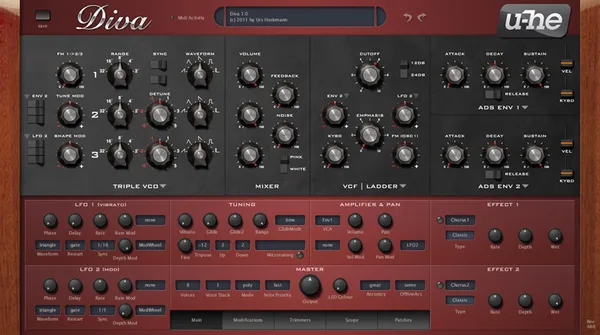
Best VST Synths for Beat Makers (2026)
We tested the top software synths for sound design depth, preset quality, CPU load, and how fast they get you from a blank patch to a usable beat sound.

Kai Tanaka
Kai produces bass music, ambient, and experimental electronic tracks. He has released on independent labels across Europe and designs preset banks for synth developers. He approaches every plugin like a modular patch — always looking for new ways to reshape sound and build textures nobody has heard before.